
 AsimAli
Online gaming has become an important part of modern entertainment. Millions of people enjoy playing multiplayer games, competitive challenges, strategy games, and adventure titles using computers. While keyboards, controllers, and touchscreens are common gaming devices, the computer mouse remains one of the most important tools for controlling gameplay. It allows players to move, aim, select objects, and interact with different elements on the screen.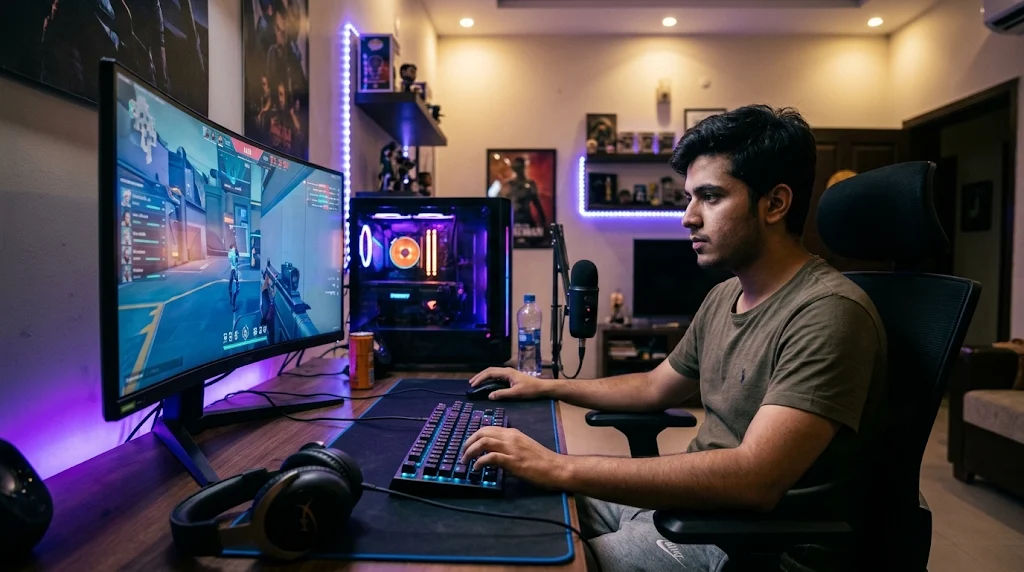
Understanding how mouse controls work can help beginners become more comfortable with computer gaming. A mouse provides a direct connection between physical hand movements and actions inside a game. Whether someone is playing a shooting game, strategy title, racing game, or online adventure, mouse movements can make gameplay more responsive and convenient.
In particular, online games often depend on accurate mouse movements, quick clicks, and smooth cursor control. These actions allow players to communicate with the game, select targets, navigate menus, and perform different activities. Understanding the technology behind mouse input also explains why mouse quality, sensitivity, connection type, and computer performance can influence the overall experience.
This comprehensive guide explains how online gaming with a mouse works, which technologies make it possible, how different mouse features affect gameplay, and what beginners should understand before choosing their gaming equipment.
How a Computer Mouse Works
A computer mouse is an input device that allows users to control a pointer or perform actions on a computer screen. It detects physical movement and sends information to the computer through a wired or wireless connection.
When a player moves a mouse across a desk or mouse pad, its internal sensor detects the movement. The computer receives this information and translates it into cursor movement or an action within the game.
The process happens extremely quickly, allowing players to interact with games without noticeable delays under normal conditions.
The Main Components of a Gaming Mouse
A gaming mouse contains several components that work together to provide accurate control.
Optical or laser sensor: The sensor tracks movement across a surface. It detects small changes in position and communicates movement information to the computer.
Left and right buttons: These buttons perform actions such as selecting objects, attacking, interacting, and confirming decisions.
Scroll wheel: The scroll wheel helps players move through menus, change selected equipment, or zoom in and out in supported games.
Additional buttons: Some gaming mice include extra buttons that players can assign to particular commands.
Microcontroller: This component processes information from the mouse buttons and sensor before sending it to the computer.
Together, these components make mouse control possible.
How Mouse Movement Becomes an On-Screen Action
A mouse does not directly control objects inside a game. Instead, it sends movement information to the computer.
The operating system or game software interprets that information and updates the pointer or game camera.
For example, moving the mouse to the right can move a cursor across the screen. In a first-person game, the same movement might turn the player's viewpoint toward the right.
This conversion happens continuously while the player moves the device.
How Online Gaming Uses Mouse Input
Online gaming software is designed toOPEN88 different types of input. These inputs include mouse movement, button clicks, scrolling, and keyboard commands.
When a player performs an action, the game receives the corresponding input and responds according to its programming.
Mouse Movement and Game Control
Mouse movement is particularly useful in games that require accurate positioning.
In strategy games, players use the mouse to select units, move objects, and interact with maps.
In adventure games, it may help players examine environments, select items, and navigate menus.
In shooting games, mouse movement can control the camera or aiming direction.
The same basic technology supports different types of gameplay depending on how developers design their controls.
Understanding Mouse Clicks
Mouse clicks are another important part of gaming.
A single click might select an object, while holding a button may perform a continuous action. Double-clicking can also activate certain commands in games that support it.
Many games allow players to customize what individual buttons do.
For example, one button might control interaction, another might select equipment, and additional buttons could activate specific abilities.
These settings help players create a control arrangement that feels comfortable.
How Games Recognize Different Mouse Actions
Game software continuously checks for input from connected devices.
When a player clicks a button, the mouse sends a signal to the computer. The game then identifies which button was pressed and performs the action assigned to it.
The same process applies to scrolling and movement.
This communication allows players to interact with virtual environments in real time.
The Technology Behind Gaming Mouse Sensors
Mouse sensors are responsible for detecting movement. Their accuracy can influence how smoothly a player controls a game.
Most modern gaming mice use optical sensors, although laser technology is also available.
Optical Mouse Sensors
Optical sensors use light to examine the surface beneath the mouse.
A small camera captures surface details repeatedly. The sensor compares these images to identify movement and direction.
This information is converted into movement data that the computer can understand.
Optical sensors are popular because they offer reliable tracking on many suitable surfaces.
Laser Mouse Sensors
Laser mice use laser-based illumination to detect surface details.
Depending on the model, they may work on a wider range of surfaces than some optical mice.
However, sensor performance depends on the specific design, surface, and tracking implementation.
For everyday gaming, a good-quality optical sensor is usually more than sufficient.
Why Sensor Accuracy Matters
Accurate tracking helps players control their movements consistently.
If a mouse sensor frequently loses tracking, the cursor or camera may move unpredictably.
A reliable sensor reduces these problems and provides a smoother experience.
Players should also use a suitable mouse pad because the surface can influence tracking quality.
Understanding DPI and Mouse Sensitivity
DPI stands for dots per inch. In gaming discussions, it describes how much cursor movement a mouse reports relative to physical movement.
A higher DPI setting generally makes the cursor travel farther across the screen when the mouse moves a particular distance.
However, higher DPI does not automatically mean better performance.
How DPI Affects Gameplay
Different games benefit from different sensitivity settings.
A strategy game may feel comfortable with relatively high cursor sensitivity because players frequently move between different areas of the screen.
A game requiring precise aiming may feel easier with a lower sensitivity setting because smaller physical movements produce more controlled changes in direction.
The best setting depends on personal comfort, the game, and the player's control preferences.
Finding a Comfortable Sensitivity Setting
Beginners should start with a moderate setting and adjust it gradually.
If the cursor moves too far with small hand movements, reducing sensitivity may help.
If moving across the screen requires excessive physical movement, increasing sensitivity may be more convenient.
The objective is predictable control rather than choosing the highest available number.
The Role of Mouse Polling Rate
Polling rate describes how frequently a mouse reports its input to the computer.
It is commonly measured in hertz (Hz).
For example, a 1,000 Hz polling rate means the mouse can report information up to 1,000 times per second under supported conditions.
Why Polling Rate Matters
A higher polling rate can provide more frequent movement updates.
This may help create smoother cursor movement, particularly during fast gameplay.
However, the benefits depend on the mouse, computer hardware, game software, and display.
A higher polling rate can also require additional processing resources.
Most beginners do not need to purchase expensive equipment simply to obtain a very high polling rate.
A dependable mouse with consistent tracking is generally more important.
Wired and Wireless Gaming Mice
Gaming mice are available in wired and wireless designs. Both can support online multiplayer experiences.
The main difference is how they communicate with the computer.
How Wired Gaming Mice Work
A wired mouse connects directly to the computer through a cable, usually using USB.
The cable carries movement information and button signals to the computer.
Wired models do not require separate mouse batteries, which makes them convenient for extended gaming sessions.
They are also straightforward to connect and use.
However, some players find cables restrictive because they can interfere with mouse movement if not positioned properly.
How Wireless Gaming Mice Work
Wireless mice communicate through technologies such as Bluetooth or dedicated wireless receivers.
When the player moves the mouse or presses a button, the device sends the information to the computer wirelessly.
Wireless gaming mice usually contain rechargeable or replaceable batteries.
Modern wireless technology can provide responsive performance, although connection quality and battery condition remain important.
Choosing Between Wired and Wireless Models
Both designs can work well.
Wired mice are often convenient for players who prefer a simple connection without battery management.
Wireless mice provide greater freedom of movement and reduce cable clutter.
The right option depends on budget, comfort, and personal preference.
How Mouse Controls Work in Different Types of Online Games
Mouse functionality changes depending on the type of game being played.
Developers assign different actions to mouse movement, buttons, and scrolling.
First-Person and Third-Person Games
In many first-person games, mouse movement controls the camera direction.
Moving the mouse horizontally can turn the viewpoint, while vertical movement can change where the player looks.
Mouse buttons may control actions such as interacting with objects or using available equipment.
Third-person games may use similar controls to manage camera movement and character interaction.
Strategy Games
Strategy games frequently depend on mouse accuracy.
Players can select characters, highlight groups, open menus, and interact with maps.
The mouse makes it easier to manage multiple objects and organize activities.
Some strategy games also use drag-and-drop controls for selecting several units simultaneously.
Simulation Games
Simulation games often use the mouse to operate equipment, adjust settings, and interact with virtual environments.
For example, a city-building game might allow players to place buildings, design roads, and manage resources through mouse clicks.
The ability to select small objects makes a mouse particularly useful for these experiences.
Browser-Based Games
Browser games can also support mouse input.
Players may use a mouse to select menus, control characters, move objects, or complete puzzles.
These games usually run through a web browser, which communicates with the computer's input devices.
Their control systems depend on the game's programming and browser support.
How Mouse Input Connects to Online Multiplayer Servers
Online multiplayer games require communication between a player's computer and a remote game server.
The mouse is responsible for capturing physical input, while the game software processes that input and determines what should happen.
The resulting gameplay information may then be communicated over the internet.
Understanding the Input Process
The general process involves several stages:
-
The player moves the mouse or presses a button.
-
The mouse sensor or button mechanism detects the action.
-
The device sends input information to the computer.
-
The game software interprets the information.
-
The game updates the player's local view or character.
-
Relevant gameplay information is communicated to the server.
-
The server processes the information and distributes appropriate updates to connected players.
These operations occur continuously during multiplayer gameplay.
Why Internet Connection Matters
A mouse can respond quickly even when the internet connection is poor.
However, online multiplayer games also depend on communication with remote servers.
A slow or unstable internet connection can create delays between player actions and the updates received from other players.
This delay is commonly called latency or ping.
A stable internet connection helps maintain consistent communication.
It is important to understand that mouse responsiveness and internet responsiveness are separate factors.
Customizing Mouse Buttons for Better Control
Many gaming mice include software that allows users to customize button functions.
This feature can make controls easier to access.
Assigning Different Functions
Players may assign extra buttons to actions supported by their games.
For example, a button might open an inventory, activate a menu, or perform another available command.
The options depend on the mouse software and game settings.
Creating Comfortable Control Settings
A comfortable button arrangement reduces unnecessary movement between different controls.
Players should choose settings that feel natural and easy to remember.
Beginners should avoid changing too many settings simultaneously because it can make learning controls more difficult.
Testing a few adjustments at a time makes it easier to identify useful changes.
Common Problems When Gaming with a Mouse
Even a good gaming mouse may occasionally experience problems.
Understanding common issues can help players identify possible solutions.
Mouse Not Responding
A mouse may stop responding because of a loose connection, depleted battery, damaged cable, or software problem.
Checking the connection and restarting the game can help identify the issue.
Wireless users should also check battery levels and receiver placement.
Cursor Movement Feels Inconsistent
Inconsistent movement may result from a dirty sensor, unsuitable surface, incorrect settings, or hardware problems.
Cleaning the sensor carefully and using a suitable mouse pad may improve tracking.
Players should also check whether sensitivity settings have changed.
Delayed Mouse Response
Delayed response can have several causes.
Computer performance, background applications, wireless interference, and game settings may contribute to the problem.
In multiplayer games, internet latency can create additional delays that should not be confused with mouse input problems.
Accidental Clicks
Accidental clicks may happen because of worn buttons, unsuitable sensitivity, or an uncomfortable grip.
Checking the mouse condition and adjusting the control arrangement can help.
If a button is physically damaged, replacing the device may be necessary.
How to Maintain a Gaming Mouse
Proper maintenance helps keep a gaming mouse reliable over time.
Dust, dirt, and regular wear can affect its performance.
Keep the Mouse Clean
Clean the outside of the mouse periodically with a soft, slightly damp cloth.
Avoid allowing moisture to enter the buttons, sensor, or connection ports.
Follow the manufacturer's cleaning instructions when available.
Use a Suitable Mouse Pad
A good mouse pad provides a consistent tracking surface.
It can also make movement more comfortable and reduce unnecessary friction.
Keep the pad clean because dust and particles may affect tracking.
Protect the Cable and Battery
For wired mice, avoid sharply bending or pulling the cable.
For wireless models, follow recommended charging instructions and avoid leaving rechargeable batteries completely depleted for extended periods.
Update Mouse Software
Some gaming mice receive software updates that improve compatibility or fix known issues.
Installing official updates can help maintain reliable operation.
However, unnecessary third-party software should be avoided.
Tips for Beginners Using a Mouse for Online Gaming
Learning mouse controls takes practice.
Beginners should focus on comfort, consistency, and understanding how different settings affect gameplay.
Start with Basic Controls
Learn the primary mouse buttons before experimenting with additional features.
Understand which actions are assigned to each button.
This creates a strong foundation for more complicated games.
Practice Controlled Movements
Try moving the cursor between different screen elements.
Practice selecting objects and navigating menus.
These simple activities help develop familiarity with the device.
Adjust Settings Gradually
Avoid changing DPI, sensitivity, and other settings repeatedly during the same session.
Make one adjustment at a time and see whether it improves comfort.
Choose Comfortable Equipment
A mouse should fit comfortably in the player's hand.
Its size, weight, shape, and button placement can influence the overall experience.
Expensive equipment is not essential for beginners.
A dependable mouse that feels comfortable is a sensible starting point.
Take Regular Breaks
Long gaming sessions can cause hand and wrist discomfort.
Taking regular breaks, maintaining a relaxed grip, and using a comfortable sitting position can help support healthy computer habits.
Gaming should remain an enjoyable activity rather than something that causes unnecessary physical strain.
The Future of Mouse Technology in Online Gaming
Mouse technology continues to develop as computer gaming becomes more advanced.
Manufacturers are working on improving sensor accuracy, wireless connectivity, battery efficiency, and customization options.
Improved Wireless Technology
Modern wireless mice are becoming increasingly responsive.
Improved receivers and wireless communication systems can provide reliable connections for different gaming environments.
More Customization Options
Some gaming mice offer adjustable buttons, customizable profiles, and software-based configuration.
These features allow players to adapt their controls to different games.
Better Sensor Performance
Sensor technology continues to improve.
Newer devices can offer consistent tracking, flexible sensitivity settings, and better performance across supported surfaces.
These improvements make mouse control more accessible to different types of players.
Integration with Advanced Gaming Systems
As gaming software develops, mouse input continues to work alongside keyboards, controllers, displays, and other computer equipment.
The mouse remains an important input device because of its straightforward design and versatility.
Conclusion
Online gaming with a mouse works through a combination of physical movement, electronic sensors, computer software, and internet communication. The mouse detects movements and button presses, converts them into digital signals, and sends those signals to the computer. The game then interprets the information and performs the appropriate action.
Different mouse components contribute to this process. Sensors track movement, buttons provide commands, and scroll wheels support navigation. Features such as DPI, polling rate, and connection technology can influence how the device feels during gameplay.
Understanding these features helps players make better equipment decisions. A high-quality mouse does not necessarily need to be expensive or complicated. Beginners can enjoy a reliable gaming experience with a comfortable device, suitable settings, and a stable computer setup.
Mouse controls are useful across many gaming categories, including strategy, adventure, simulation, browser-based, and multiplayer games. Each category uses mouse input differently, but the underlying technology remains similar.
It is also important to remember that online performance depends on more than the mouse itself. Computer processing power, game optimization, server communication, and internet stability all contribute to the experience.
Ultimately, learning how a mouse works can make computer gaming easier to understand. By choosing suitable equipment, maintaining the device, adjusting settings carefully, and practicing comfortable movements, players can enjoy a smoother and more accessible gaming experience.

 quadro_bike